Routine Creator
Manually create a routine
or use AUTO create.
Your workout. Two ways to build it.
Choose every exercise yourself, or use the AUTO routine creator for quick, easy AI-generated workouts. Pick your muscles and equipment, review the suggestions and make the session your own. Either way, you're in control of the routine you save.
Manually create a routine.
Build it exercise by exercise, with the Exercise Finder there when you need it.
Step 01
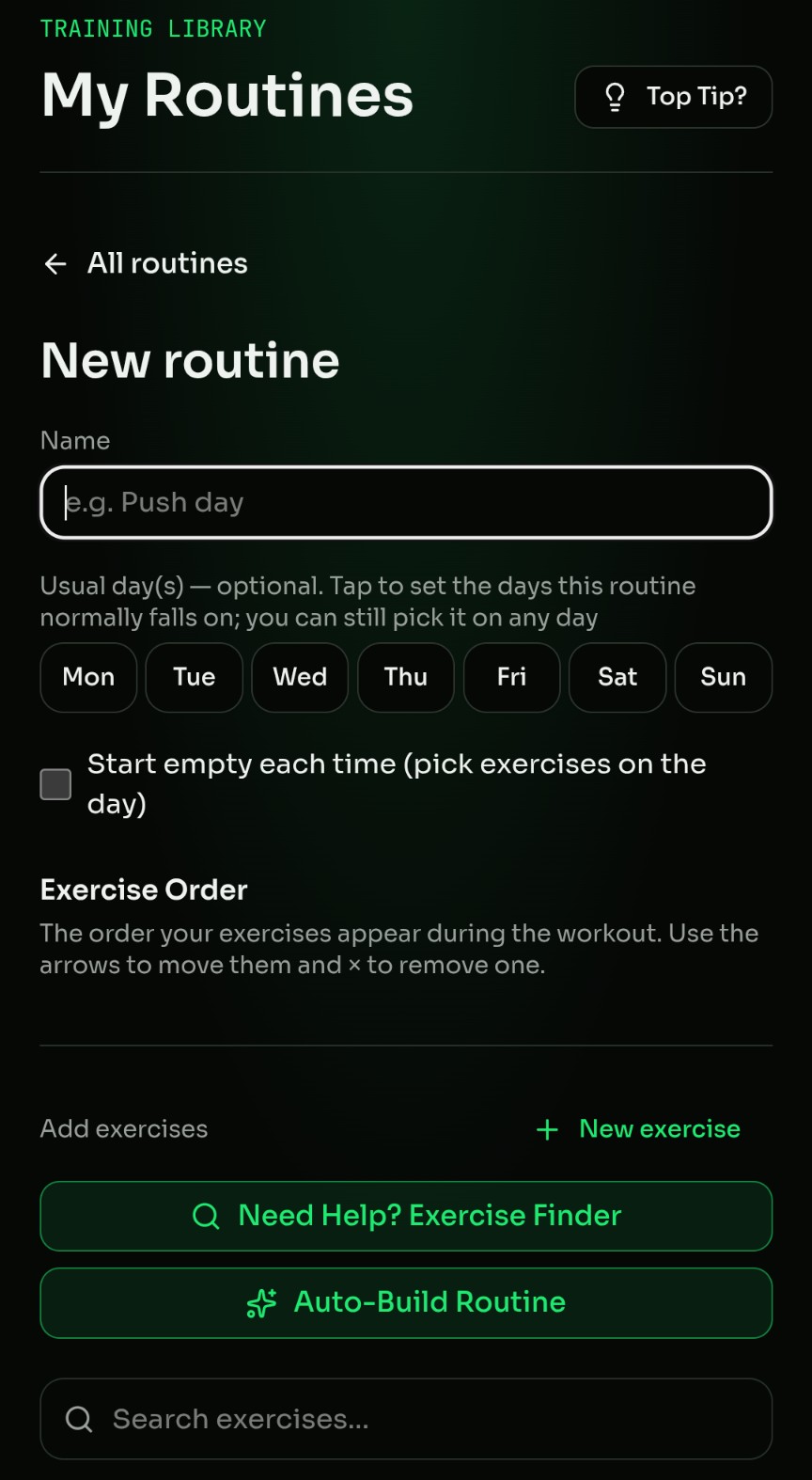
Name it and set your days.
- “Push day”, “Legs”, “20 minute reset” — name it your own way
- Tap the days it normally falls on
- Tick start empty if you like choosing exercises on the day
- Or leave it as a saved routine you can pull up any time
- Works the same whether you train six days a week or twenty minutes between school runs
Step 02
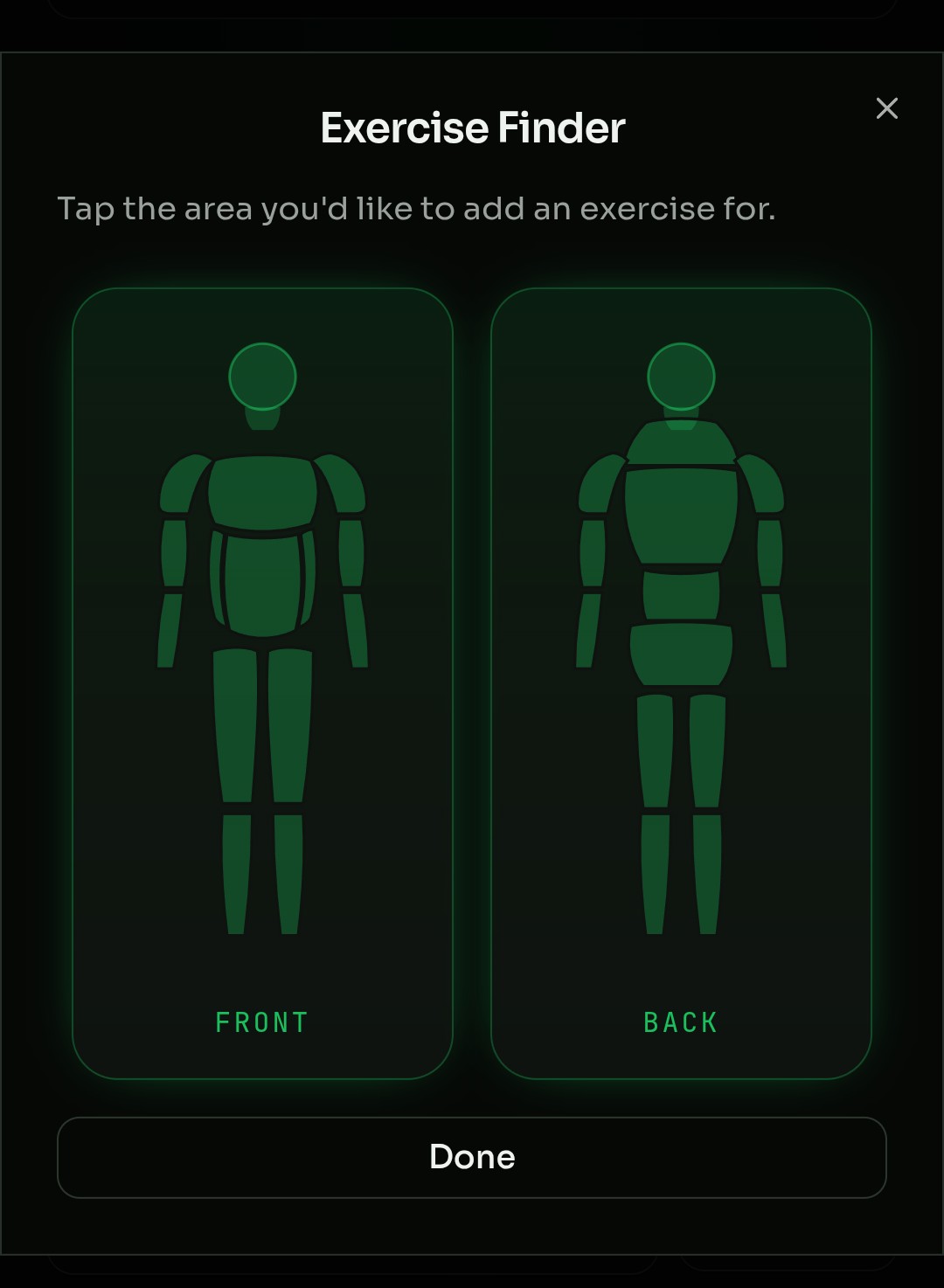
Tap the muscle you want to train.
- Open the Exercise Finder and tap the area on a front or back body map
- No exercise names to remember
- No scrolling through a long list
- Point at the part of the body you want to work and the app shows you what fits
Step 03
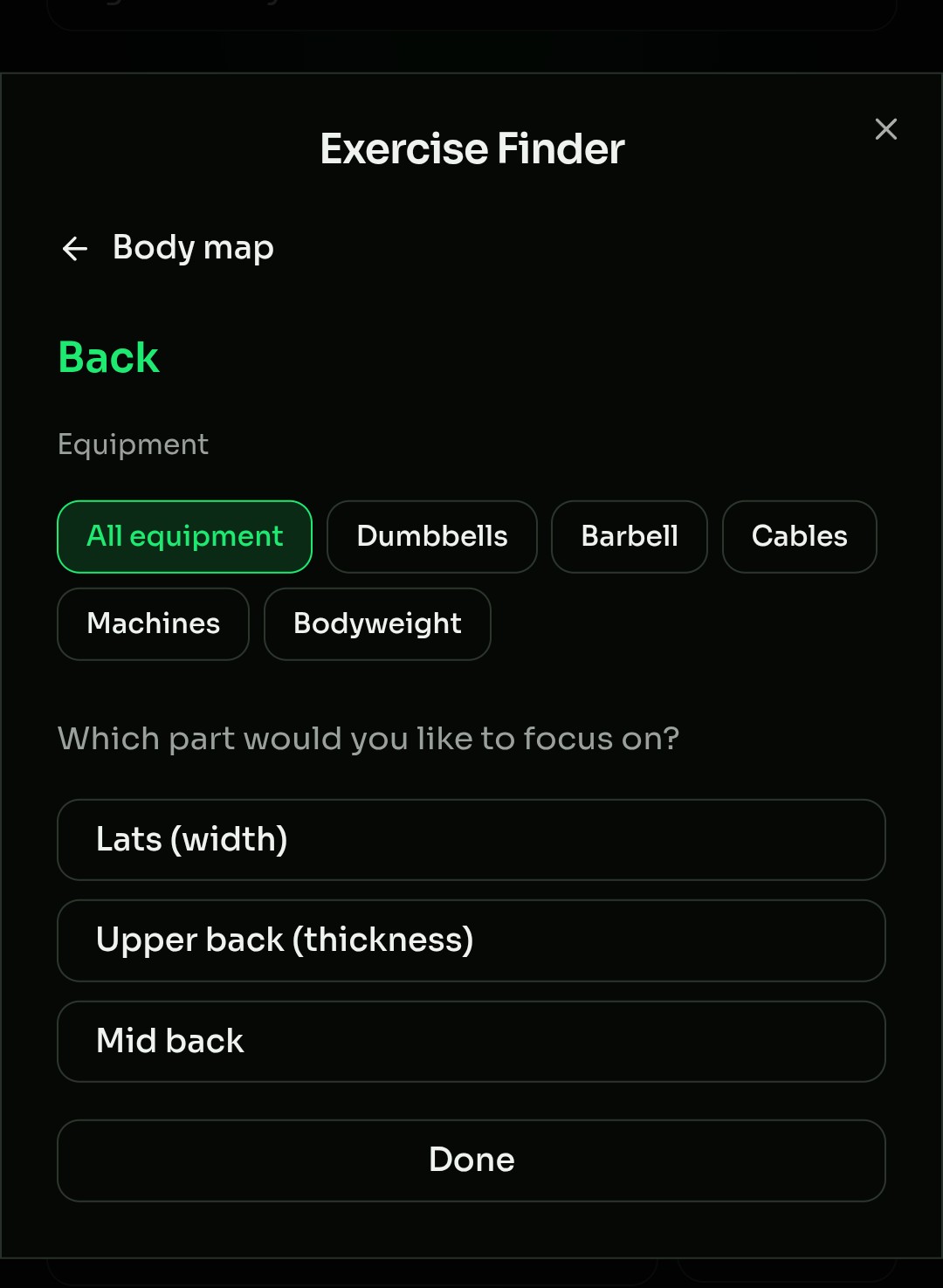
Filter by what's in front of you.
- Choose the equipment you actually have — dumbbells, barbell, cables, machines or bodyweight
- Pick the part you want to focus on
- Home lifters, hotel-gym travellers and full-gym regulars all get a shortlist
- Built around what's available to them, not what a coach assumes they have
Step 04
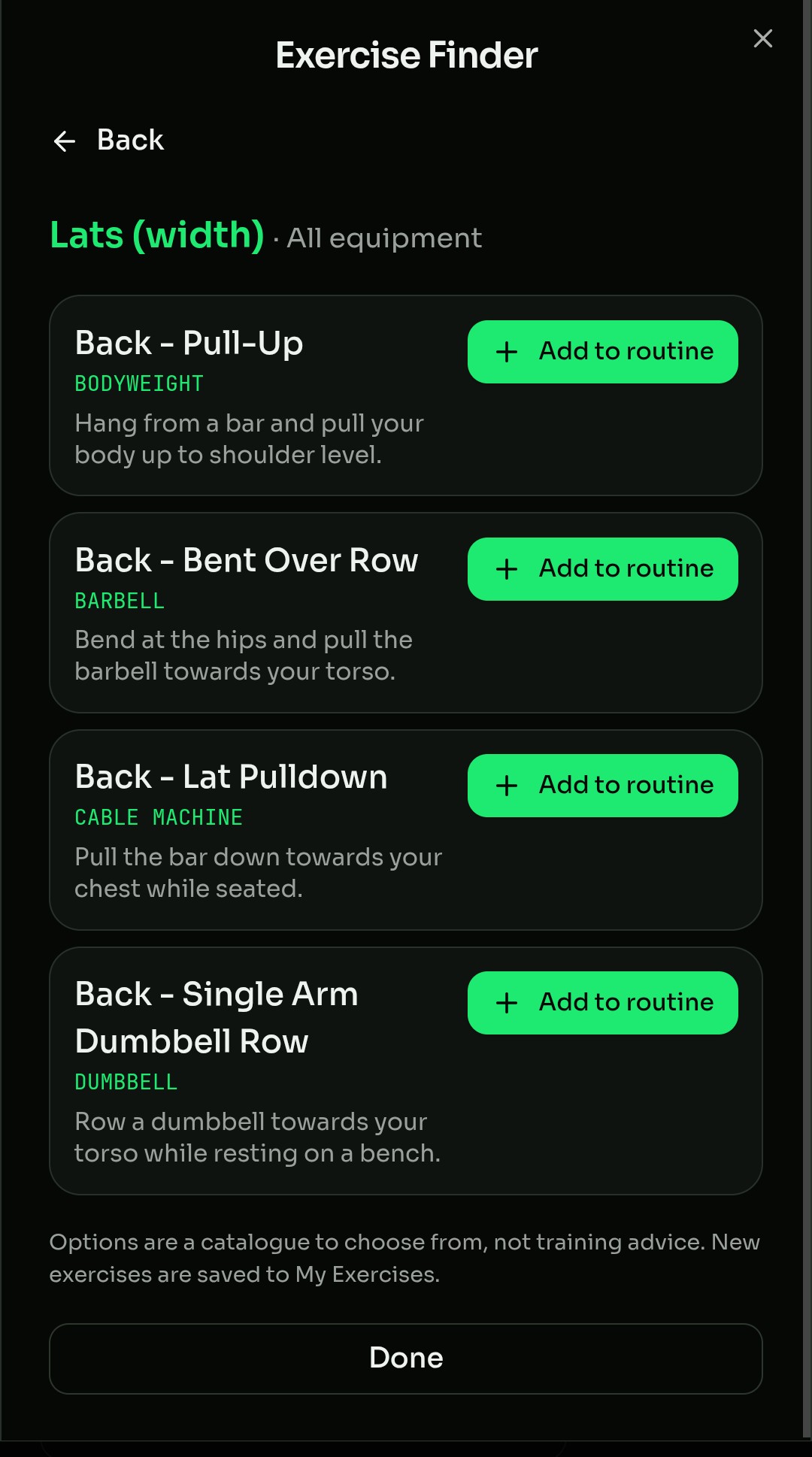
Add it and you're done.
- Every suggestion comes with a plain-English description of how the movement is performed
- Beginners know exactly what they're signing up for
- Tap add to routine and it drops straight into your exercise order
- Reorder with the arrows and remove anything you don't want
- Your routine is ready for the gym floor
AUTO routine creator
Quick, easy AI-generated workouts.
Let AUTO put together the exercises, then check the suggestions and adjust them to suit you. Less time choosing, more time ready to train.
Step 01
Start with AUTO.
- Name your new routine and choose its usual days if you want to
- Tap Auto-Build Routine instead of choosing every exercise yourself
- Get a quick, easy AI-generated workout to review and make your own
Step 02
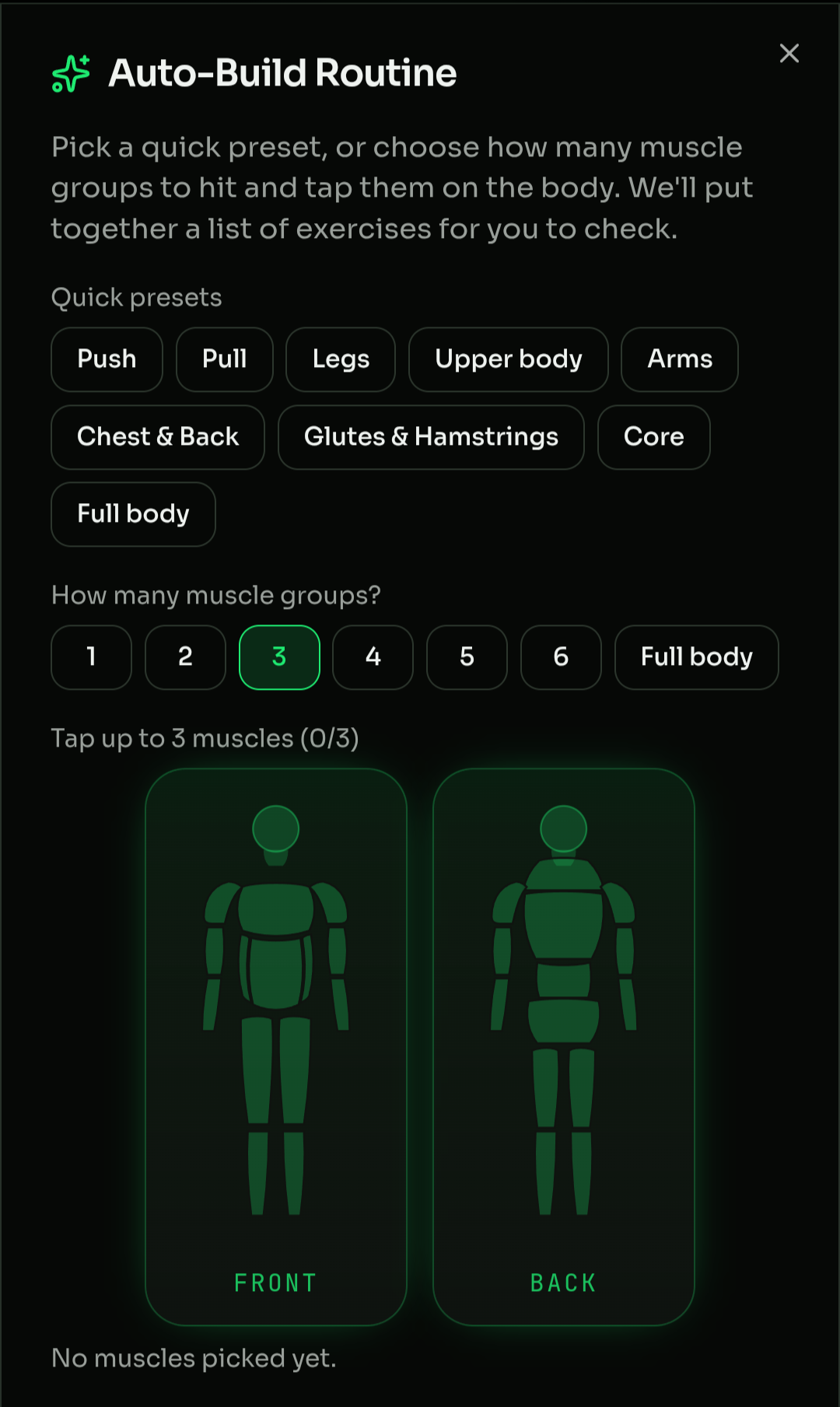
Choose your focus.
- Pick a quick preset such as Push, Pull, Legs, Upper body or Core
- Or tap two to three muscles on the front and back body maps
- Choose the equipment available to you
- Set the number of exercises for your workout
Step 03
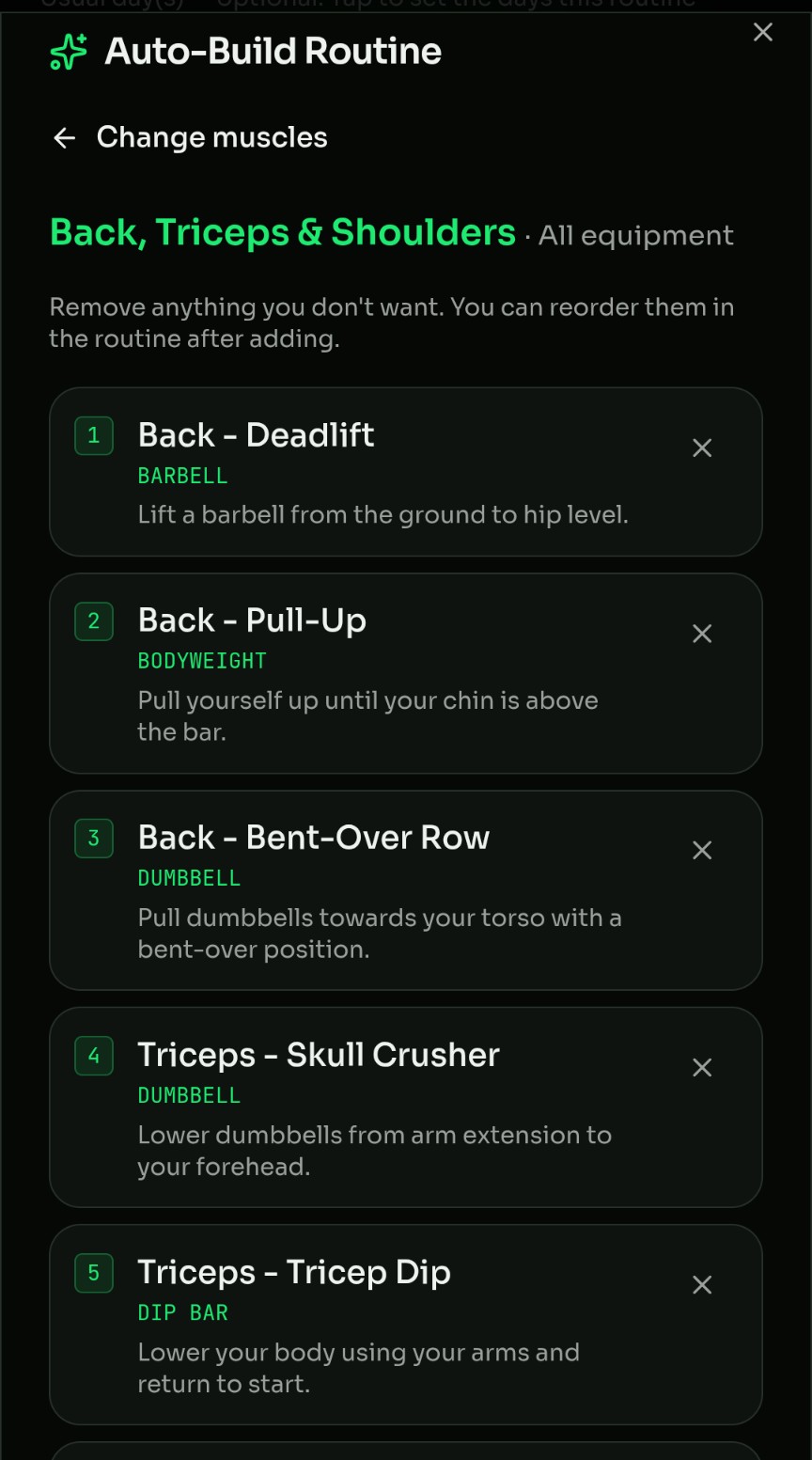
Review your workout.
- AUTO puts together exercise suggestions for your selected muscles and equipment
- Read the plain-English movement descriptions
- Remove anything you don't want before adding the exercises
- Change your muscle choices if you want a different focus
Step 04
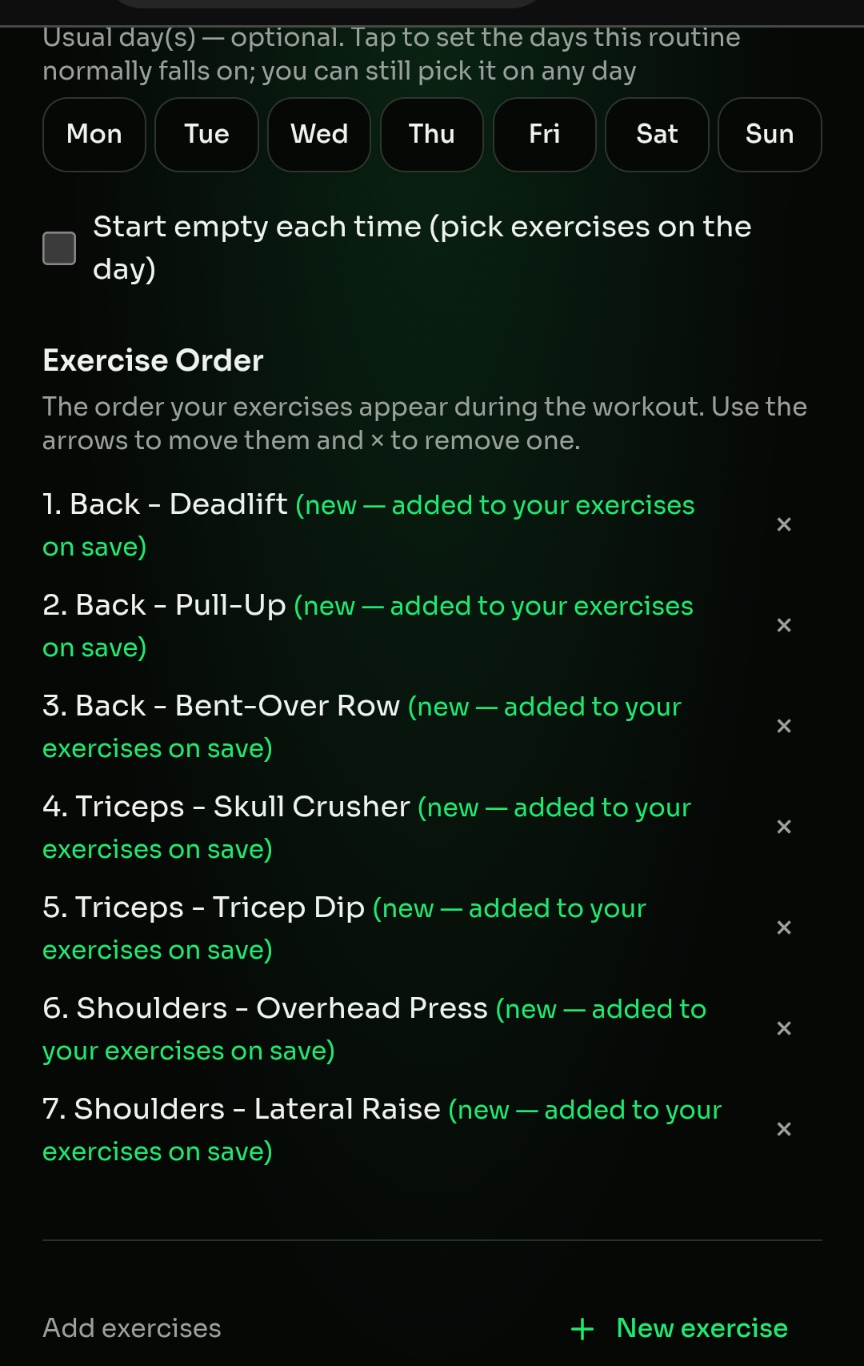
Make it yours.
- Add the suggested exercises to your routine
- Reorder the workout and remove exercises you don't want
- Add your own exercises alongside the AUTO suggestions
- Save your routine — new exercises are added to your exercise library on save
Built for every kind of lifter
Just starting out
Choose exercises with the body map or let AUTO suggest a workout. Read the movement descriptions before adding them.
Training at home
Choose the equipment you have, whether you're building manually or using AUTO.
Short on time
Use AUTO for a quick AI-generated workout, make any changes, then save it for next time.
Training to progress
A saved routine is what gets compared to last time, so every session has something to beat.

Your apex is waiting.
Training. Health. Nutrition. Supplements. All in one app.